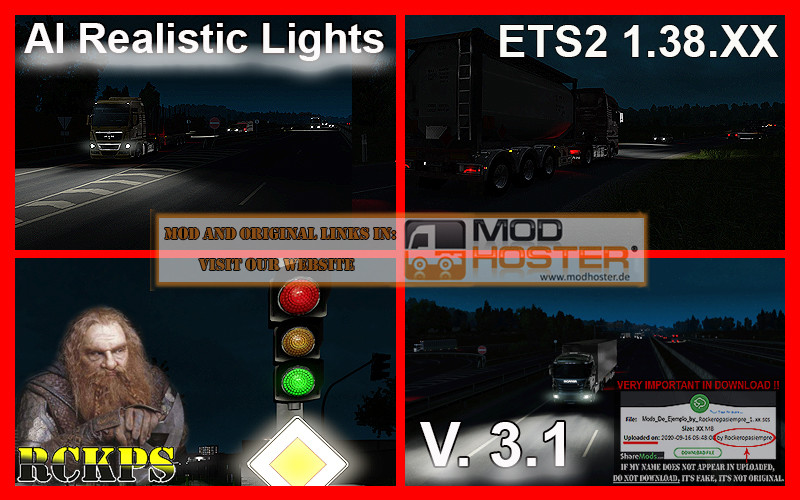
AI Realistic lights V. 3.1 For ETS2 1.38.XX
AI Realistic lights V. 3.1 For ETS2 1.38.XX
Mod update.
Please do not upload the mod to another server. Respect the author's original link, thanks.
Description:
- This mod touches some of the lighting in the game.
- If you use the NaturaLux ETS 2 mod from GerScaniaTrucker, you must place this mod on top of Naturalux.
- Detailed mod information in the game mod manager.
- It touches all the intensity of general lights, both AI, as environment.
- Acts on headlights, taillights, and brake lights throughout the AI.
- Greater angle of light on the road, from headlights of IA vehicles.
- The flashes have been reinforced so that they have a more powerful light beam.
- Turn signals, taillights, and brake lights, much more eye-catching.
- Increased the flashing light beam of vehicles and trucks.
- Acts on the lights of the street lamps and traffic lights.
- Led traffic lights.
- Added led traffic lights for all countries.
- Increased saturation of red and blue colors for police and police vehicles.
- Compatible with all Dlc's.
Changes in Version 3.1:
- Modification of files for version 1.38.XX
- Reedited all the LED textures.
- Added textures to left turn signals in: Finland, Estonia, Lithuania, Latvia and Russia.
- LED textures have been added to the streetcar lights.
- Increase of the light beam of the traffic light.
- Modification of all files.
- Adjusted light effects from .dds files
- Adjusted brightness of brake lights and headlights.
- More visibility was given in the distance to the AI intermediates.
- Turn signal ranges have been extended.
- The blinking orange color was changed.
Testers: Cupido, Rockeropasiempre
Credits: SCS Software, Barmaley.
Author: Rockeropasiempre.
File Weight: 7.2 Mb
A greeting.
Comments
You must be logged in to comment.
No comments yet.