1 / 7
Virus checked
v0 latest
Free Mod
AGROWICHER 2026 Reshade Preset
–
Rating
0 Ratings
25
Downloads
607
Views
0
Thanks
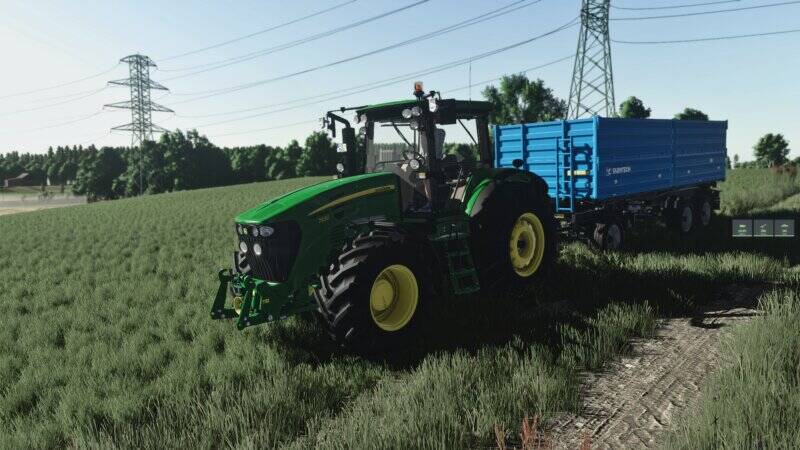
AGROWICHER 2026 – My latest Reshade preset with custom lighting for an even more immersive Farming Simulator experience.
Installation Instructions:
- Uninstall any previously installed Reshade first.
- Copy the AGROWICHER 2026 file into the x64 folder of the game.
- Run the Reshade installer and reinstall it. Select the AGROWICHER 2026 preset during the process.
Important Lighting Notes:
- For proper lighting, only use the lighting files included in this package. All other lighting files should be taken from the original game.
- Do not use two different lighting versions at the same time, as this can cause errors and incorrect effects.
Recommended In-Game Settings:
- Brightness: 1.1 (sometimes 1.2)
- Sharpness: 0.0
- NVIDIA Filters are only used for automatic depth of field; all other effects are handled by Reshade.
Enjoy the mod!
Author: AGROWICHER
YouTube: AGROWICHER
Comments
You must be logged in to comment.
No comments yet.