1 / 3
Virus checked
vBeta latest
Free Mod
ApexGuidance - Precision Guidance System
–
Rating
0 Ratings
4
Downloads
98
Views
0
Thanks
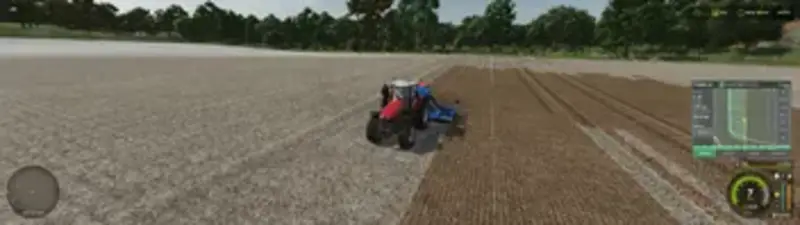
ApexGuidance – Precision guidance, section control and field documentation for Farming Simulator. A single terminal in the cab takes over the functions of a real guidance system:
Guidance: Create AB lines by driving or have them derived from recorded field boundaries – with an adjustable offset. The lines are automatically numbered and the system snaps to the nearest line.
Field boundaries & obstacles: Field boundaries, ponds, power poles or tree groups can simply be driven around and saved. A headland area is automatically created for each obstacle, and the implement is automatically raised and lowered.
Headland: Three modes available – Warning, Auto or Guidance with automatic path selection. Switch points are precisely configurable in meters.
Section control: The positions of both ends of the working width are continuously calculated. When an end reaches the field boundary, the corresponding section is switched off immediately – even in curves and corners where angle-based systems reach their limits.
Tramlines: Automatic counting based on the AB line, with individually configurable spacing and widths.
Auto turning: Turning maneuvers are calculated based on the geometry of your machine (up to five rows can be skipped), self-driven paths can be recorded and used automatically.
Records: Weight, volume, yield and operating costs are recorded per field and per input (seed, fertilizer, lime, crop protection) and accumulated across multiple work sessions.
Coverage mapping: Worked areas are color-marked in real time, taking section control into account.
Implement profiles: Working width, offsets, headland and tramline settings as well as preferred turning maneuvers are saved per implement when attached.
Guidance: Create AB lines by driving or have them derived from recorded field boundaries – with an adjustable offset. The lines are automatically numbered and the system snaps to the nearest line.
Field boundaries & obstacles: Field boundaries, ponds, power poles or tree groups can simply be driven around and saved. A headland area is automatically created for each obstacle, and the implement is automatically raised and lowered.
Headland: Three modes available – Warning, Auto or Guidance with automatic path selection. Switch points are precisely configurable in meters.
Section control: The positions of both ends of the working width are continuously calculated. When an end reaches the field boundary, the corresponding section is switched off immediately – even in curves and corners where angle-based systems reach their limits.
Tramlines: Automatic counting based on the AB line, with individually configurable spacing and widths.
Auto turning: Turning maneuvers are calculated based on the geometry of your machine (up to five rows can be skipped), self-driven paths can be recorded and used automatically.
Records: Weight, volume, yield and operating costs are recorded per field and per input (seed, fertilizer, lime, crop protection) and accumulated across multiple work sessions.
Coverage mapping: Worked areas are color-marked in real time, taking section control into account.
Implement profiles: Working width, offsets, headland and tramline settings as well as preferred turning maneuvers are saved per implement when attached.
Comments
You must be logged in to comment.
No comments yet.