1 / 1
Virus checked
v1.0 latest
Free Mod
Construction Screen Extension
–
Rating
0 Ratings
10
Downloads
148
Views
0
Thanks
A user-friendly addition to the construction screen that offers many quality of life enhancements and a new custom field functionality.
Custom Field: Do you need to fix a field boundary after a landscaping accident or swiftly connect two fields? Perhaps you just do not have the time to draft a fresh field plan prior to dispatching your hired personnel. With the ability to design a new plowed field area, all of these issues and more may now be resolved for a fair price. You may also request a cultivated or planted state for an additional cost.
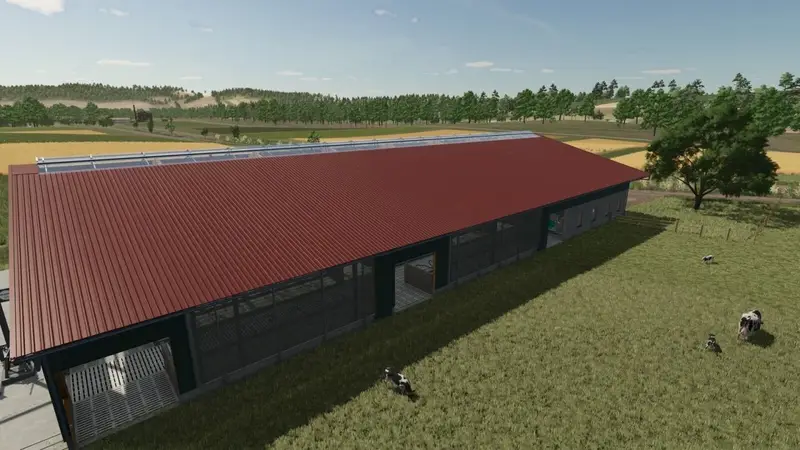
Configure existing placeables: When you erected that barn, you were short on funds. Now that you have the money, do you wish you could alter the setup to include solar panels? By selecting a customizable building and pressing the "Configure" input binding, this can now be done directly from the construction screen.
Quick Copy: Are you tired of trying to find the same structure you placed on the map by navigating through the construction screen? Simply select any building that has already been placed on the map and click the "Quick copy" input binding button.
Angle Display: Make turning your new structures less of a guessing game. When placing a new building, the current building rotation in degrees is now shown in the controls section of the construction screen.
Price Fix: After setting up and positioning a new structure, are you left wondering where the additional funds went? This issue has been resolved — the total construction cost, including all configurations, will now be shown at the cursor before finalizing the purchase.
Thanks to GtX.
Custom Field: Do you need to fix a field boundary after a landscaping accident or swiftly connect two fields? Perhaps you just do not have the time to draft a fresh field plan prior to dispatching your hired personnel. With the ability to design a new plowed field area, all of these issues and more may now be resolved for a fair price. You may also request a cultivated or planted state for an additional cost.
Configure existing placeables: When you erected that barn, you were short on funds. Now that you have the money, do you wish you could alter the setup to include solar panels? By selecting a customizable building and pressing the "Configure" input binding, this can now be done directly from the construction screen.
Quick Copy: Are you tired of trying to find the same structure you placed on the map by navigating through the construction screen? Simply select any building that has already been placed on the map and click the "Quick copy" input binding button.
Angle Display: Make turning your new structures less of a guessing game. When placing a new building, the current building rotation in degrees is now shown in the controls section of the construction screen.
Price Fix: After setting up and positioning a new structure, are you left wondering where the additional funds went? This issue has been resolved — the total construction cost, including all configurations, will now be shown at the cursor before finalizing the purchase.
Thanks to GtX.
Comments
You must be logged in to comment.
No comments yet.