Building Blueprints
This script extends construction mode with reusable blueprints for placeable buildings and objects.
Press Left Shift + B to save the currently positioned placement as a blueprint. Blueprints are stored in the savegame's buildingBlueprints.xml file and are restored automatically when the savegame is loaded.
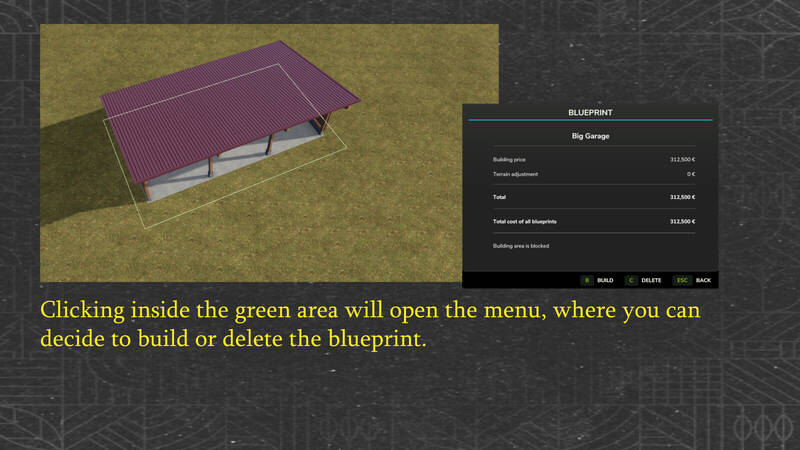
Blueprints with a terrain adjustment area are marked by a green outline. In normal selection mode, clicking inside this area opens the menu with the Build, Delete and Back options. Press B to build the selected blueprint or C to delete it. In demolition mode, the blueprint can be removed directly.
Before a purchase is accepted, terrain deformation, current construction costs, available funds and possible collisions are checked again. Terrain adjustment costs are recalculated using the current values. If the purchase is rejected or blocked, the blueprint remains unchanged.
For animal husbandries with a customizable pasture fence, the standard workflow is preserved: Customize the fence or keep the default layout, confirm it at its final snap point, and then automatically leave the fence editor before continuing with meadow creation where supported.
The detail window displays the total cost of all saved blueprints, including terrain adjustment costs. Checking the terrain for the selected blueprint updates both totals.
Comments
You must be logged in to comment.
No comments yet.