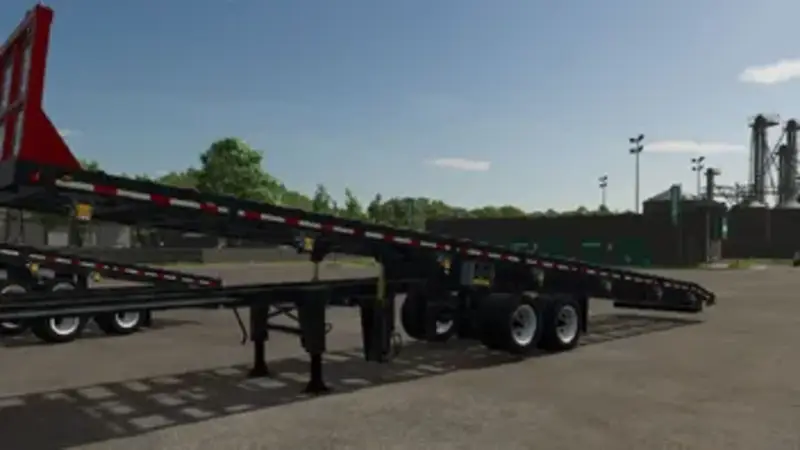
Construction Truss and Beam Trailers
This pack adds three specialised trailers for transporting roof trusses and floor beams to construction sites. Every model features a hydraulically tilting deck, LED lighting, support legs, and detailed hydraulic, electrical, and air lines.
- Extendable beam trailer: A semi-trailer that extends from 38 ft (11.6 m) to 53 ft (16.2 m) and locks in 2 ft 6 in (0.76 m) increments. Its rear bumper can be raised.
- Beam trailer with movable axle: A semi-trailer with an air-suspended tandem axle that can be shifted along the frame. The rear bumper can also be raised.
- Gooseneck beam trailer: A raised gooseneck trailer for pickup trucks with adjustable hitch height. Its toolbox contains a valve block and a 12 V hydraulic unit.
Operation and features: Hydraulic cylinders tilt the deck and produce realistic hydraulic sounds. The brakes can be released so the load rolls off by itself. A ground control box provides the same functions as the in-cab controls. It opens automatically when you approach it, and its levers move while operating the equipment. On the gooseneck, the control box is located inside the gooseneck toolbox. Overwidth warning flags can be attached and removed using a key or Interactive Control. The protective grille is available in different shop colours. All trailers work on any map.
Default controls:
- Raise deck: Left Alt + Up Arrow
- Lower deck: Left Alt + Down Arrow
- Release or engage brakes: Left Alt + End
- Attach or remove warning flags: Left Alt + Insert
- Attach or release straps: L
- Extend or retract the extendable trailer or move the sliding axle: X
- Raise or lower the rear bumper: Left Alt + Page Up
- Raise the gooseneck hitch: Left Alt + Page Up or Left Alt + Mouse Wheel Up
- Lower the gooseneck hitch: Left Alt + Delete or Left Alt + Mouse Wheel Down
- Fine-tune hitch height: Hold the left mouse button and drag up or down
All key bindings can be changed in the game settings under Controls.
Comments
You must be logged in to comment.
No comments yet.