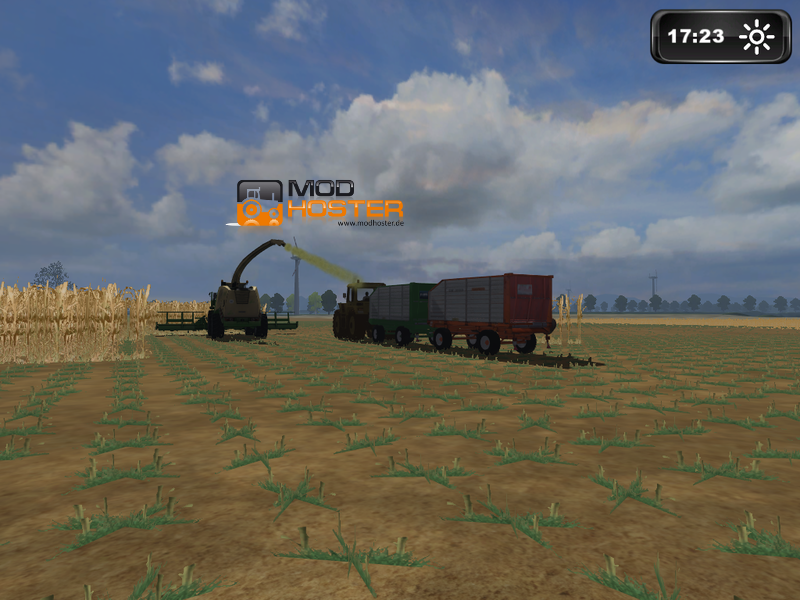
Here the long desired Abfahrhelfer for LS 2011 in the first version. This version is multiable of player topically only partly. He can be served only by the Host of the play.
UPDATE: Now Courseplay there is also as an EXE Mod. Thank you in ls2011.org
But also with the Exe the entries must be still inserted in the tractor.
For all do not know like one something like that integrates here there is a ready stack:
http://www.modhoster.de/mods/fendt-939-vario-courseplay
I. Installation instruction
1. Copy the archive aacourseplay.zip in the list C:\Users\dein Username\MyGames\FarmingSimulator2011\mods
2. Now the archive of the tractor entpacken you want to provide with the Abfahrhelfer and in the moddesc.xml following entries make
...
...
...
<
afterwards the files again zurückpacken.
One can save the whole Entpacken and stacks with the Totalcommander or Winrar, because he makes the Entpacken and stacks automatic.
Open here simply the archive, file work on, store, close and zurückpacken confirm.
II. Operating instructions
Control:
The control of the Abfahrhelfers functions in the essential key free with the mouse because in the farmer's shaft simulator very much rah are.
With a click on the right mouse key you activate the Courseplay HUD in to her the Abfahrer can configure. Some functions like Abfahrer it are additional start and stop also over the keyboard about the keys NUMPAD 7 to NUMPAD 9 occupied.
HUD:
If you the HUD open the mouse price increase is automatically activated. That is you are not able to do yourselves with the mouse any more umgucken. To deactivate the mouse price increase you must simply click over again on the right mouse key.
Alternatively you can also click on the red X on top on the right in the HUD. Besides, the HUD is closed and the mouse price increase is deactivated again.
The HUD is divided into several undersides. You can change this with the blue arrows in the upper area of the HUDs.
In the middle area of the HUDs you can carry out on every underside would pass away settings or orders give. Clicks in addition simply on the desired action.
In the lower area of the HUDs her info about your Abfahrer finds the loaded course and the topical status. There you can store by also click on the disk your well-worn course.
HUD "Abfahrhelfer of control":
Course recording begin:
With this option the admission mode of the Abfahrhelfers is activated. You can run with it the course of the Abfahrer should go later.
With activation are put at the beginning of three kegs in the distance of 10-20 metres. You should pay attention to the fact that you go up to the third barrel as far as possible straight ahead.
If her this function have activated you can deactivate with the right mouse key the mouse price increase with it you can also look around while running the course.
Course recording finish:
This action is only in the admission mode vergügbar and serves in addition to finish this. Clicks on this function if to her the terminator point of your well-worn route have reached.
It is advisable that the terminator point about 10 metres lies before the starting point and that one roughly from the direction comes to those of the Abfahrer with the starting point should also go on.
Here put waiting point:
In the admission mode you have to put the possibility on the distance waiting points. In these points will stop of the Abfahrer later while removing till one him by hand further sends.
If an Abfahrer has reached a waiting point it is indicated you in the lower screen edge.
Abfahrer put:
If her one course have driven now you can put the Abfahrer. Besides, is activated of the Abfahrhelfer and removes well his route.
Abfahrer dismiss:
You can dismiss the activated Abfahrer of course also any time or stop.
If to her the Abfahrhelfer is activated later again he his route in the letzen point continue.
go on:
This option is available to you if the Abfahrer a waiting point has reached.
Remove-type change:
So that the Abfahrhelfer can do possibly many duties there are different Abfahrhelfer types.
The topical type is indicated in the lower area of the HUDs. With click on this action you can go through the types.
Type: Abfahrer
The type Abfahrer waits in the starting point to him then only the route is fully loaded and removes. If he on his route about an Abkippstelle comes he stops and empties his (n) follower.
However, one can also say the Abfahrer in the starting point that he should set off immediately.
Type: Infers
The combined mode is as the Abfahrer mode with the difference that the Abfahrer in the starting point does not wait to him is loaded separate independently to a thrasher or shredder on the topical field goes and serves this.
If all hangers are full the second keg on his route starts of the Abfahrer and removes from then on the route like the normal Abfahrer.
With it the combined mode functioned the starting point of the Abfahrers must absolutely lie on the same field on the thrasher or the thrashers (she) are.
Type: Überladewagen
With the type Überladewagen goes of the Abfahrer also directly to the thrasher or shredder and removes afterwards his route. The difference, on this occasion, is that the Überladewagen "waiting points" is of use as "an Abladepunkte".
If the Überladewagen is full he removes his route up to the waiting point and goes on there automatically if the Überladewagen is empty.
Type: Transportation
Type: Transportation
In this mode merely his route sets off of the Abfahrer. He does not wait in the starting point and will also not unload in Abladestellen.
This mode is suited to bring itself in connection with waiting points around tools to the field or, for example, also on other courts.
Road points extinguish:
If a course has driven you can put back about this option the course again. Besides, the stored course will not separate from the configuration data extinguished only the topical Abfahrer again put back.
HUD Course store
In the lower Breich of the Huds her one disk finds. If her one course have driven you can store by click on the disk your course.
Besides, an input mask is indicated in the upper area. Here you can award with the keyboard a name for your course and confirm this with ENTER (input key).
Tip: Topically the control of the play is still active in the memory mode. That is if you, for example, "e" press, unfortunately, you still get out of the vehicle.
In this case simply again get and further tap. This problem is repaired in a later version of course.
HUD "courses administer":
On diser underside of the HUD her one overview of your stored courses finds. You can load by click on the folder symbol a course and extinguish a course completely by a click on the red X.
With the blue arrows on the top right and on the right below you can turn the leaves by the stored courses.
HUD "settings Combi mode":
These settings are valid (as the name indicates it) only for the combined mode and the Überlademodus. Herewith you can adapt your Abfahrer to the respective thrasher.
You can adapt the values with a click on +/-symbol besides
lateral ones. Distance
This value defines the lateral distance him an Abfahrer to the thrasher or shredder with alongside go should keep.
Start with %:
This value firmly lays from which filling state of the thrasher of the Abfahrer to him goes and him abtankt.
With shredders it is fixed by this value since when the second Abfahrer in the chain to the first one should ride behind.
Turn radius:
This value is important only with the Häckseln and fixes as far of the Abfahrer with the turn of the shredder of him should leave without him in the way to stand.
Pipe distance:
This value fixes as far of the Abfahrer with alongside drive up or should go back. Herewith can be moved of the Abfahrer to different followers.
HUD "thrasher administer":
Also these settings are relevant only for the combined mode. Here you can put on account of the Abfahrer to themselves automatically a thrasher or shredder should search (standard) or he a by hand assigned thrasher should be of use.
If her one thrasher assigns by hand this must also not stand on the same field. The Abfahrer goes from his starting point automatically to the thrasher, all the same where this is.
Interesting this setting is not always functioned above all with big or hilly fields on those the automatic allocation and on fields without cultivator's texture, e.g., meadows.
HUD "speed":
Here you can fix as fast your Abfahrer should go. I think sometimes the settings are explicatory itself ;)
Comments672
You must be logged in to comment.
testkommentar zur anzeige eines löschicons
Also ich möchte gerne den Courseplay in mein moddesc.xml legen aber ich finde den Eintrag dafür nicht kann mir bitte einer helfen. Danke im vorraus. Bitte nur PN.
was soll man für einträge machen? steht doch nichts da außer striche:o) bitte hilfe danke
was für einträge soll man da machen bitte schnelle hilfe danke im vorraus
cooler und guter mod
das 8 Video ist sehr hilfreich , dank an S.MAurUS
hallo ich habe ein problem wenn ich mit dem überladewagen einen kurs einfahre und dann auf überlade funktion stelle so das er zum drescher fahren solte fährt er nur die eingegebene strecke ab aber nicht zum drescher was mache ich falsch?
kann man damit auch gülle von einem ort zum anderen fahren bitte um schnelle pn
http://www.youtube.com/watch?v=frfNX5ZD090 ich glaube das sollte alle fragen beantworten
Das geht garnicht was soll ich da denn einfügen in die xml ???
bei mir steht nicht was ich in der xml datei des trecker einfügen soll damit man den kursplay auf dem trecker installiert :(( kann mir jmd. helfen?
bei mir funktionierter is aber nicht so einfach mit den Wegpunkten aber sonst ist er gut. Für die nicht wissen wie das geht auf youtube gehen und oben Tutorial:Einbau des Abfahrhelfer Courseplay für LS 2011 in einen Traktor.Es geht bei den Fendt 933 Vario
ich versteh das nicht mit dem installieren (entpacken ...) kann man das noch mal irgebdwie erklären oder gibts da ein video?... der link vom vertigem pack geht nicht?... freu mich auf ne pn !!
ahh, hat sich geklärt hab ein video gefunden: http://www.youtube.com/watch?v=HUp-RdEw9-M&feature=related
mann muss ja eine zeile einfügen aber die stet nicht da
moin leute ich hab ein problem ich find das nicht was man in der sipdatei einfügen muss bitte meldet euch so schnell wir möglich
wie bekomme ich die seite für die enstellungen bitte um hilfe