DTM Video Studio
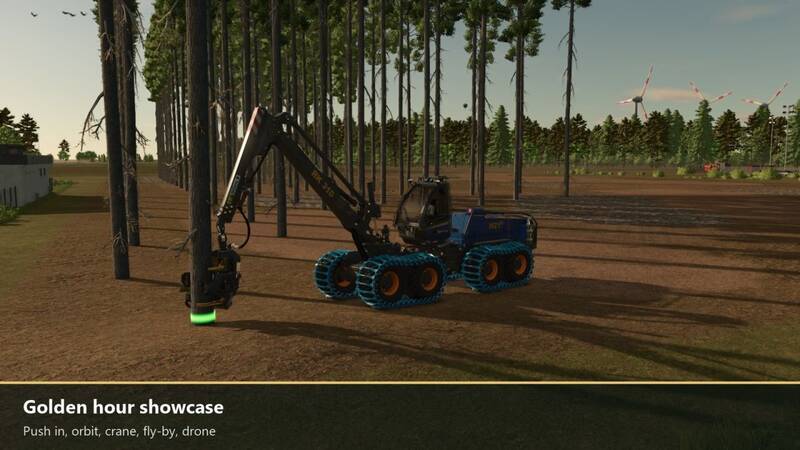
DTM Video Studio is a cinematic camera tool for modders, designed to create polished videos for YouTube, personal websites, or showcasing a mod. All camera moves play directly in the game, and the tool is intended for single-player use only.
- Right Shift + 1: Showcase camera moves around the vehicle you are sitting in, including all attached equipment, a selected target, or the nearest building.
- Right Shift + 2: A slow 360-degree orbit.
- Right Shift + 3: Chase camera while driving. Press the shortcut again to stop it.
- Right Shift + 4: Cycles through the lighting presets Golden Hour, Morning Mist, Midday, Overcast, Dawn, and Night. After the final preset, the original time of day is restored.
- Right Shift + 0: Stops the active camera function.
Video recording: The game itself does not record video. The separate Video Studio tools capture the game window and use colored start and end cards to detect where each clip begins and ends, allowing the footage to be cut cleanly.
Console commands: vsShot [options], vsShots, vsShowcase [vehicle|quick|building|work], vsStop, vsLight [preset] [hour], vsWeather, vsVehicleLights, vsDrive|stop, vsWork on|off, vsTarget [name], vsList [name], vsEnter [name], vsMenu [name], vsKeys, vsFolder, vsFov, vsQuiet, vsClear, vsRadius.
Created by DTM Mods (PropaineX & Fennell). Support and bug reports: Discord.
Comments
You must be logged in to comment.
No comments yet.