1 / 1
–
Rating
0 Ratings
4
Downloads
267
Views
0
Thanks
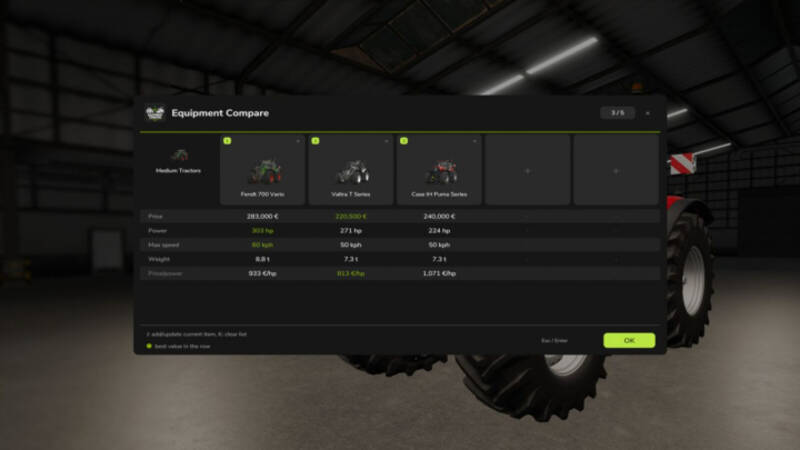
Equipment Compare adds a handy comparison tool to the vehicle and equipment shop. Select an item in the shop configuration screen and press the Compare button or the J key to add the current item along with its selected configuration to a temporary comparison list. Up to five items can be compared at once. Opening a comparison card returns to that item with its saved configuration loaded automatically. Comparison controls are automatically disabled in workshop and vehicle contexts.
The comparison covers common shop data where available: price, power, speed, working width, capacity, required power, weight, upkeep, and simple value metrics.
Version 1.0.3: Restores the saved configuration when opening an item from the comparison list. Disables comparison controls outside valid new-item shop contexts.
The comparison covers common shop data where available: price, power, speed, working width, capacity, required power, weight, upkeep, and simple value metrics.
Version 1.0.3: Restores the saved configuration when opening an item from the comparison list. Disables comparison controls outside valid new-item shop contexts.
Comments
You must be logged in to comment.
No comments yet.