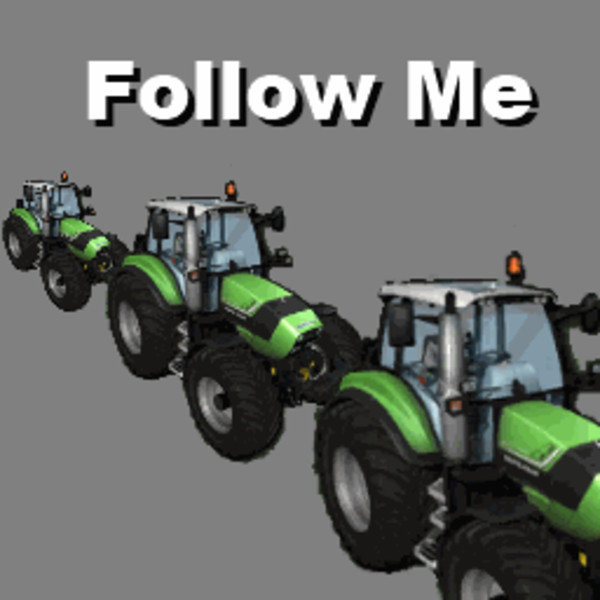
Follow Me
Remember to check the support topic for any additional information regarding this mod
Changelog
v2.0.6
- Fixed problem with 'steerable's that are not 'drivable'.
- Russian translations updated by Gonimy_Vetrom.
v2.0.5
- Upgraded to FS15.
- Shows active 'leader' and/or 'follower' on screen, when modifier-key is pressed.
- Added map-icon for vehicle when in Follow mode. Inspired by CoursePlay.
Mod description
Have you ever wanted to make a transport convoy, or just be able to; cut grass - dry it - rake it - bale it - pick it up, with multiple tractors all in one go?
With the 'Follow Me' mod, a vehicle can be told to follow after another vehicle.
How to use it
Before telling about the controls, here's a list of known problems that may occur when you use it:
- The speed of followers may not always be 100% accurate as it could be, with regards to how fast/slow they should drive when following the "trail".
- Some vehicles may start to zig-zag, in the attempt at following the "trail", due to trying to touch every "trail crumb". This is most obvious when reaching a turn at high speeds, and trying to "get back on track".
- Turning on beaconlights, when having set up a circular convoy - i.e. vehicle-A follows vehicle-B follows vehicle-C follows vehicle-A - will make the beaconlights repeatedly turn on and off.
Controls
The action-keys, which can be changed in Options - Controls, are defined in two sets:
Myself - For the vehicle the player is driving:
RIGHT CTRL + F = Start/stop following the vehicle that is in front (if possible).
RIGHT CTRL + A/D = Adjust left/right offset when following, in steps of 0.5.
RIGHT CTRL + W/S = Decrease/increase following distance, in steps of 5.
Press-and-hold RIGHT CTRL + W/S to repeat decrease/increase in steps of 1.
Behind - To control the vehicle that is following behind me (if any):
RIGHT SHIFT + F = Stop the follower.
RIGHT SHIFT + A/D = Adjust the follower's left/right offset, in steps of 0.5.
RIGHT SHIFT + W/S = Decrease/increase the follower's distance to me, in steps of 5.
Press-and-hold RIGHT SHIFT + W/S to repeat decrease/increase in steps of 1.
Note: Each set of action-keys must use the same modifier-key!
Switching it on/off
Do please note that, when loading a new map or savegame, the vehicles have not yet placed enough "trail crumbs" for other vehicles to follow. So do remember to drive the leading vehicle some distance, before setting up the follower vehicle.
To follow some vehicle, point your own vehicle towards it and press the start action (RIGHT CTRL + F).
If no "trail crumbs" can be found, or the vehicle already is followed by another, a warning will appear and you will have to either move a little bit further towards/back, or change to follow another vehicle.
To stop following, press the same action again (RIGHT CTRL + F).
Distance and offset
The follow distance can be set using RIGHT CTRL + W/S, in increments of approximate 5 meters. Positive values are "keep back" distance (up to +250), and negative values are "in front" (up to -50).
Do please note that vehicles that have no traffic-collision-triggerboxes or not configured correctly, will not be able to detect when/if they collide into the leading vehicle or some other vehicle - so you better set the distance further back.
Left/right offset is set using RIGHT CTRL + A/D, in increments of approximate 0.5 meter.
Equipment/tools handling
If a follower has a turned on round-baler, it will now automatically unload the bale. Please note; primarily only the vanilla Baler script is supported, so some mod balers may not work as intended.
Restrictions
This mod's script files MAY NOT, SHALL NOT and MUST NOT be embedded in any other mod nor any map-mod! - However it is accepted if this mod is packed into a mod-pack archive, when this mod's original ZIP-file and hash-value is kept intact.
Please do NOT upload this mod to any other hosting site - I can do that myself, when needed!
Keep the original download link!
Problems or bugs?
If you encounter problems or bugs using this mod, please use the support-thread at http://fs-uk.com - Find the mod (and correct version) in the mods section, in category 'Other - Game Scripts'.
Known bugs/problems:
- Followers are not able to detect traffic-vehicles, and will therefore collide with them.
- Followers speed is not always 100% accurate.
- Too high speed into a turn, or having a slow steering, will make the follower go zig-zag in an attempt at "getting back on track".
- Follower-vehicles that has no build in traffic-collision-box can (obviously) not detect if they are about to collide with something in front.
Comments90
You must be logged in to comment.
Gibt es für LS19 jemand der diese Mod Konvertiert'?
Link doesnt work, take it down or fix it.
Nm, found proper link on fs-us. ^^
Moin moin, hat schon einer ne V3 für LS17??? Ich bekomms nicht konvertiert - leider!
Wieso eigentlich V3? Neues Spiel müsste doch auch hießen, das die Nummern wieder bei 1 anfangen oder nicht? lg
ich hoffe das es eine version für ls17 gibt finde den mod super nützlich
super mod bitte eine version die in ls 17 läuft , danke
Wenn mein 1. Fahrzeug im Rückwärts-Arbeitsmodus ist, folgt das 2. nicht?? Kann mir da jemand helfen?
Cooler mod sehr schön
also bei mir stehen 2 Drescher hintereinader und der findet denn einen nicht.
Nur geil sber die übersetzung hmm ich weiß ja nicht aber 5/5sterne ;D
Endlich kann mann auch Löschzüge bilden THX
es wäre auch nice wenn der mod noch eine funktion dabei hätte das den follower das abkippen an bestimmten entladestationen erlaubt bzw eine funtion einbauen das man das per klick erledigen kann sonst ist diese mod sehr nice
Wäre cool wenn er mit blincken würde Sonst Top :) 5/5 Sternen
Es ist ganz annembar aber für Radlader ist es noch nicht ausgerift. Wäre schön wenn das verbessert werden würde!
sehr geil :) war schon im 13er top :) cool wäre noch wenn er das blinken vom führenden fahrzeug übernehmen würde
Schade, dass die Trecker das Rohr vom Drescher als Barriere ansehen, und da nicht drunter durch wollen, evtl kann man das noch fixen? Oder lässt sich das umstellen?
Kann man das auch eintstellen, dass der "Verfolger" neben dem vorrausfahrenden Fahrzeug fährt und nicht stipide dran vorbeidonnert? Ich denke da an den Häcksler mit Grashäckseln, da hat er ja kein breites Maisgebiss was den "Verfolger" aufhält
Ich versuche mal mein bestes zur hilfe. Eigentlich steht alles oben beschrieben aber ich versuche es mal zusammenzufassen. Du kannst vom führenden Fahrzeug aus mittels der rechten Shifttaste und den WASD-Tasten die Postition ändern. So kannst du mit der A und D Taste die Seitliche Position (Offset) in 0,5m schritten ändern. Je nachdem in welchem seitlichen Abstand der folgende fahren soll. Standard is 0m also genau dahinter. Mit den W und S Tasten kannst du einstellen auf welcher höher er folgt. Die option kannst du in 5m schritten ändern (gedrückt halten in 1m schritten). Standard ist 10m dahinter. Du kannst ihn damit auch vor dir fahren lassen bzw parallel. Musst halt W drücken bis er keinen abstand mehr anzeigt oder anzeigt das er vorfährt. Natürlich sollte er erst versetzt fahren damit er vorbei kommt. Ich benutze z.b. wenn ich mit dem pöttinger mais häcksel die einstellung 2,5m seitlich versetzt und 5m vorrausfahrend um richtig schön laden zu können. Hoffe meine erklärung konnte dir etwas helfen.