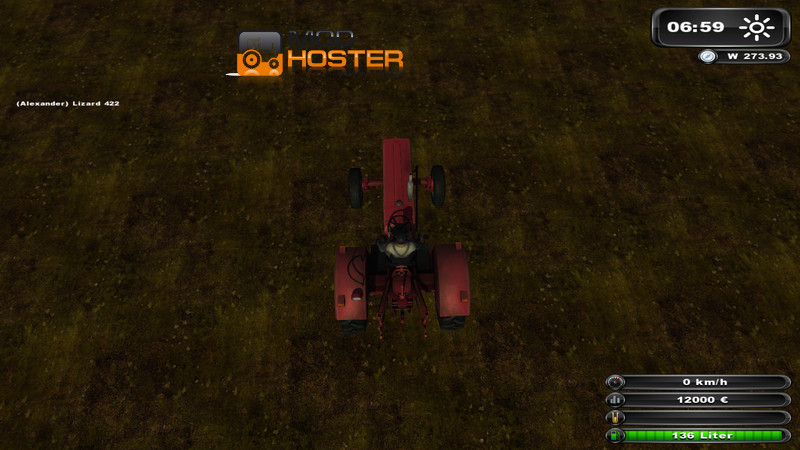
Empty, patched map with additional soil textures
This is an empty map for hobbyists.
The map is patched so all dating i3d files from the original unpatched version of the LS 2011, except the map01.i3d, which has received minor changes.
- ground textures have been modified and extended. So now you have more layers of paint terrain available
- terrain detail layers have been cultivating for plowing, and changed harvested field.
The newly added layers have been incorporated where possible Masstabsgetreu map01.i3d in the
The map is completely empty and flat. This includes the complete surface layer with the "ground" was provided.
The Giants hurdle that you can use a maximum of 4 soil layers per square, I could not ignore me, but I think that can be created with more layers and more complete picture.
It is possible to patch its own card with this card! These have to copy it into the blank map all files in the folder of Your map. You may, however, does not overwrite files up in your map! map01.i3d you will name your first order please. Then just add my map01.i3d then it opens your map01.i3d renamed. There have to create her a new Transforgroup. Then cut off her "career starting point" to the newly created Transform Group from all objects and inserts them into the newly created Transform Group. This new Transform Group selects it and go to "export selection". Then it stores the export.i3d as (for example) from. Now it opens the map01.i3d imported from me and there into your export.i3d. Now you have just cut out everything from the Transform Group again and paste without selecting a group or an object again. Transform your empty group from importing you can delete it now. See if it the "career start point" and have twice removed one of them. Should have been Multifruit your map, you must reinsert the Fruit Layers by editor
Then you can offer your terrain to bekleistern as desired with the new paint layer /
I hope you enjoy crafting! The download should be available everywhere, but only under the original link. New uploads will not be tolerated. This download can be linked everywhere but in the use of the original link. Uploading is not permitted anywhere new
Comments18
You must be logged in to comment.
hallo!! ich hab mal eine große bitte kannst du das selbe auch mit ls2013 machen weil es keine leere map mit neuen texturen gibt danke in vorraus
Fehlt bei euch auch der Graslayer (und evtl. noch 1-3 anderen, hab nicht nachgeschaut).
moin sind ganz hübsch aus die map
also wie funtzt das genau also wo hin einfügen? etc? hat jemand skype und kann das mir erklären mein skype name: natur.geist.kevin
wenn du nur losbauen willst, brauchst nix einfügen!
quand on sait pas faire une présentation on s'abstient
welches program ist das zum map erstellen
GiantsEditor - der ist in deinem Installationsverzeichnis im Unterverzeichnis "SDK" zu finden!
ich denke mal dass in die planquadrate nur 4 texturen einbaubar sind hängt ganz einfach mit der benötigten rechenleistung zusammen, denn je mehr eingebaut ist umso mehr miuss der rechner an resourcen für die berechnung aufbrauchen als für den flüssigen spielablauf und wer mag schon ein gut aussehendes spiel was aber aus standbildern besteht weil zu viel rechenleistung benötigt wird.^^ ich für meinen teil werde mir die map für ein kleines projekt mal ranziehen und sage schon mal danke für die leere map. =)
Das mit den Layers lässt sich über die weight-maps auch etwas bescheissen. Das heisst, man kann sogar ein 5. layer setzen, muss aber achten, dass auf keiner anderen weight-map an der selben Stelle weiss is. Soweit die Theorie! Ich hab's versehentlich geschafft, weil ich 2 layers die selbe weight-map gegeben hatte. Nur der Giantseditor selbst lässt kein 5. oder mehr layer zu!
Alles schön und gut, aber man kann pro Planquadrat eh nur 4 Stk einsetzten, inclusive wheat für Felduntergrung. aber mal sehen...
Ja, darüber konnte ich mich bisher nicht hinwegsetzen, aber eine Karte besteht ja nicht nur aus einem Quadrätchen - somit kann man im "Insgesamten" etwas mehr gestalten!