Radio Player
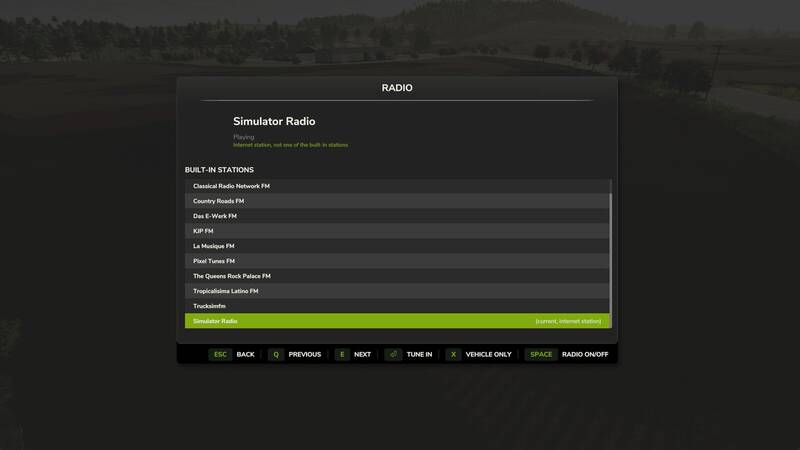
The Radio Player adds a convenient control panel for the in-game radio. Press Left Alt + 5 to open the panel at the bottom of the screen.
- View the current station, song title and station logo
- Browse all stations in alphabetical order and tune in directly
- Raise or lower the volume
- Switch the radio on or off and choose between Play Everywhere and Vehicle Only
- Show or hide a compact mini player with Left Alt + 6
Use Left Alt + 7 or the mouse cursor to move the mini player. Its position and visibility are remembered. The shortcut can be changed under Options > Controls and assigned to a controller button.
Alongside the built-in stations, the panel supports internet radio, your own music and additional streams. Custom stations can be added through the streamingInternetRadios.xml file in the music folder of your user folder. Unresponsive stations are skipped after a short waiting period.
The game's original radio controls continue to work normally. The selected station is saved with your savegame. In multiplayer, every player has an individual radio and player interface.
Comments
You must be logged in to comment.
No comments yet.