1 / 1
Virus checked
v1.3.1.0 latest
Free Mod
Realistic Powertrain & CVT System
–
Rating
0 Ratings
0
Downloads
23
Views
0
Thanks
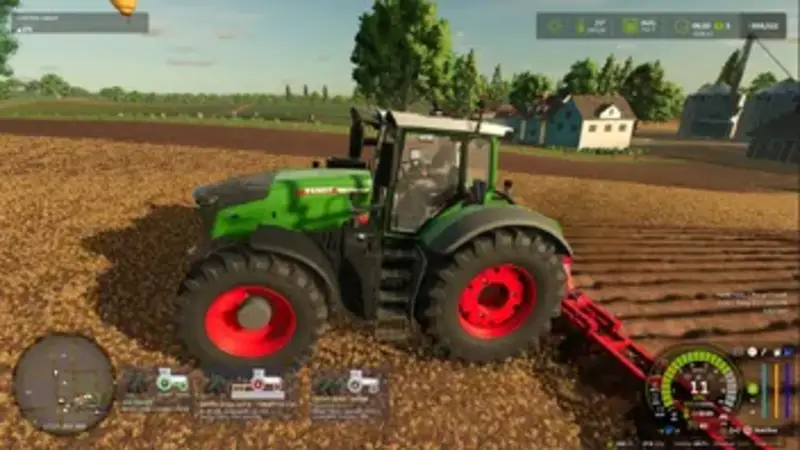
This overhaul introduces a more realistic simulation of engines, transmissions and PTO systems. Brand-specific CVT profiles reflect the different characteristics of the supported tractor systems.
- Brand-specific CVT profiles: Fendt Vario and Massey Ferguson Dyna-VT feature two manual ranges for field and road use, which can only be changed while stationary. Case IH, Steyr and New Holland CVXDrive, John Deere AutoPowr, CLAAS CMATIC, Deutz TTV, Valtra Direct and Kubota KVT use four automatic ranges with near-seamless shifts.
- Engine and transmission control: The Auto and Power modes offer different operating strategies. Auto provides economical running at low engine speeds and transport speeds, while Power is designed for maximum output. Load limiting and four acceleration ramp settings are also available.
- Throttle control: Two engine-speed memory slots, A and B, allow quick switching between two RPM values. Both settings are saved with the game progress.
- Realistic power-split behavior: Increased losses in the hydrostatic section affect traction power and fuel consumption.
- PTO and hydraulics: With the PTO running, engine RPM drops slightly under load instead of remaining fixed to PTO speed. Hydraulic demands such as tipping, front-loader work or raising implements increase engine RPM, which returns to idle afterwards.
- Dedicated settings window: Press Left Alt + P to open the Real Powertrain window. The “Transmission” tab shows current and target RPM, engine load, efficiency, hydrostatic share and the active range. The “Settings” tab allows modules, vehicles and brand-specific CVT profiles to be selected and applied immediately. The “Panel” tab provides options for visibility, text size and repositioning with the mouse.
- Compatibility: The CVT module automatically disables itself when CVT Addon, RealismAddon Gearbox or VCA is active. The Zasty HUD displays the selected range and throttle control, while the separate panel is hidden when the HUD is active. Multiplayer is supported.
Default controls: Press Left Alt + P to open the Real Powertrain window. Hold Left Alt + Up Arrow or Left Alt + Down Arrow to use the throttle control. If a default key is already used by the game or another mod, assign a different key under Options > Controls.
Comments
You must be logged in to comment.
No comments yet.