1 / 1
Virus checked
v0.3.2.0 latest
Free Mod
Script Sentry – Mod Conflict Notifications
–
Rating
0 Ratings
13
Downloads
350
Views
0
Thanks
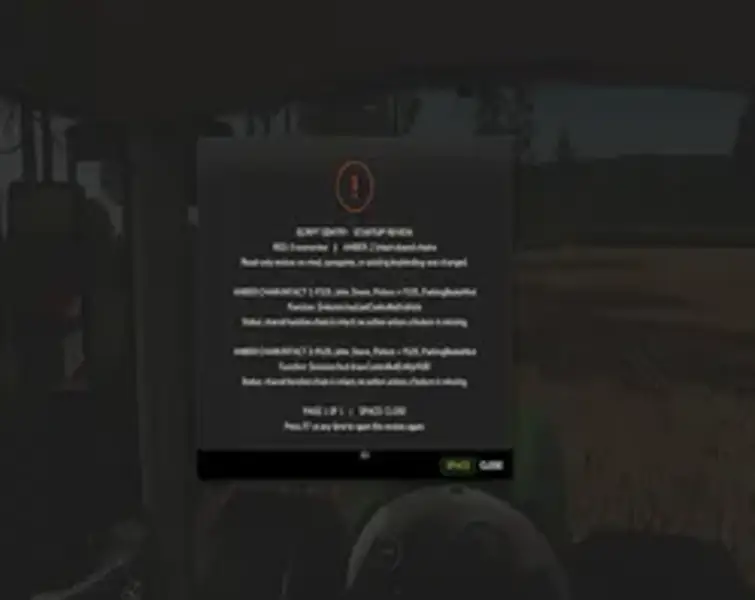
Script Sentry is a diagnostic tool for Farming Simulator 25. It monitors Lua function chains during game startup and displays an easy-to-understand overview of potential conflicts directly in the game. No developer console or manual search through the log file is required.
Status display:
• Green: No broken function chains were found.
• Yellow: Multiple mods use the same function, but the official function chain remains intact. Normally, no action is required.
• Red: A mod loaded later replaced a function without preserving the original implementation. Script Sentry identifies the involved mods and functions and suggests a recommended next step.
The overview appears shortly after the game starts and can be reopened at any time. Press the Space bar to close it. Press Right Alt + 1 on the number row to reopen it. Longer reports are divided into numbered pages.
Features:
• Overview immediately after game startup
• Detection of overlaps and replacements in monitored Lua function chains
• Identification of the involved mods and functions
• Distinction between intact shared chains and probable overrides
• Native Farming Simulator pop-up menu
• No permanent icons, notifications, or messages covering the HUD
Script Sentry does not change savegames, key bindings, loading order, or mods, and it does not resolve conflicts automatically. It is not a mod manager or a general log-reading tool; it is a diagnostic aid, and the player decides how to proceed.
The mod is fully compatible with FillType Monitor. Both mods work independently and can be installed together.
Important installation note: The ZIP file must keep the exact name
Script Sentry is currently in public beta. No automatic detection system can identify every possible incompatibility. A yellow result does not necessarily mean that two mods are incompatible; it only indicates that both mods use the same function while the function chain remains intact. The results are intended as a diagnostic aid. Unexpected results can be reported together with the
Platform: PC/Mac · Multiplayer: currently not supported · Created by: SecondChanceGaming3709
Status display:
• Green: No broken function chains were found.
• Yellow: Multiple mods use the same function, but the official function chain remains intact. Normally, no action is required.
• Red: A mod loaded later replaced a function without preserving the original implementation. Script Sentry identifies the involved mods and functions and suggests a recommended next step.
The overview appears shortly after the game starts and can be reopened at any time. Press the Space bar to close it. Press Right Alt + 1 on the number row to reopen it. Longer reports are divided into numbered pages.
Features:
• Overview immediately after game startup
• Detection of overlaps and replacements in monitored Lua function chains
• Identification of the involved mods and functions
• Distinction between intact shared chains and probable overrides
• Native Farming Simulator pop-up menu
• No permanent icons, notifications, or messages covering the HUD
Script Sentry does not change savegames, key bindings, loading order, or mods, and it does not resolve conflicts automatically. It is not a mod manager or a general log-reading tool; it is a diagnostic aid, and the player decides how to proceed.
The mod is fully compatible with FillType Monitor. Both mods work independently and can be installed together.
Important installation note: The ZIP file must keep the exact name
AAA_FS25_ScriptSentry.zip. The AAA prefix makes Script Sentry load early enough to monitor function activity before most other script mods apply their changes. Renaming the file may cause Script Sentry to load too late and miss some overlaps or overrides, resulting in an incomplete startup check. Do not unpack or rename the file, add words or version numbers to its name, allow Windows to append a number, or install multiple copies. When updating, remove or replace the old copy so that only one file with the required name remains in the mods folder.Script Sentry is currently in public beta. No automatic detection system can identify every possible incompatibility. A yellow result does not necessarily mean that two mods are incompatible; it only indicates that both mods use the same function while the function chain remains intact. The results are intended as a diagnostic aid. Unexpected results can be reported together with the
FS25-log.txt file when possible.Platform: PC/Mac · Multiplayer: currently not supported · Created by: SecondChanceGaming3709
Comments
You must be logged in to comment.
No comments yet.