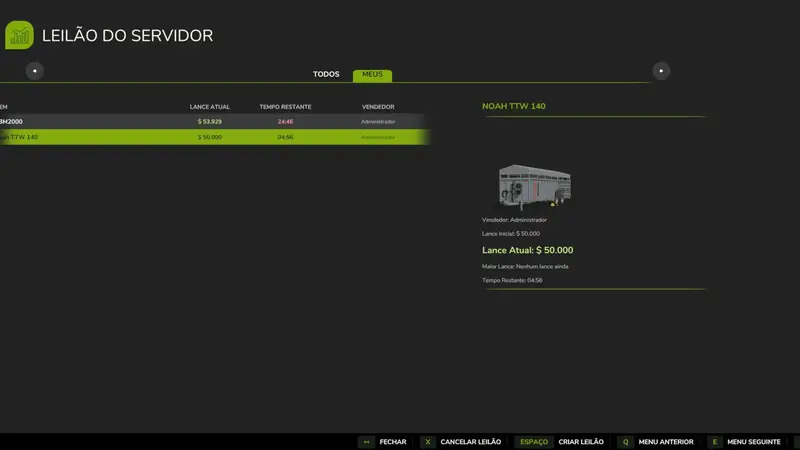
Server Auction House
The Server Auction House introduces a real-time auction market to your farming experience. Sell your tractors, harvesters, and tools or bid on equipment listed by other players and virtual bots.
🎮 Controls and Shortcuts
Open the Auction Panel: Press the K key anytime during the game.
Navigate the Interface: Use the mouse to select active auctions, view details, or use the bottom menu buttons.
🕹️ How to Play (Gameplay)
1. Create an Auction (Sell)
Open the auction panel by pressing K, click the Create Auction button, select your vehicle/tool, choose the Starting Price and Duration, and confirm. The item will be listed for bidding immediately.
Security Rule: Once an auction receives a bid, it cannot be canceled to ensure fair play.
2. Bid (Buy)
Select an item to view detailed information. Enter your bid and if you are the highest bidder when time runs out, the item is yours!
⚙️ Server Settings (Enable/Disable Bots)
Admins can toggle AI bids and auctions. When enabled, bots can create auctions and bid on items.
⚠️ Important Note (Spawn Warning)
Currently, won items spawn at your character's location. This will be updated to spawn at designated delivery zones in future updates.
Comments
You must be logged in to comment.
No comments yet.