1 / 6
Virus checked
v1.0.0.0 latest
Free Mod
Shader 2 by CasiJR
–
Rating
0 Ratings
436
Downloads
8.8K
Views
0
Thanks
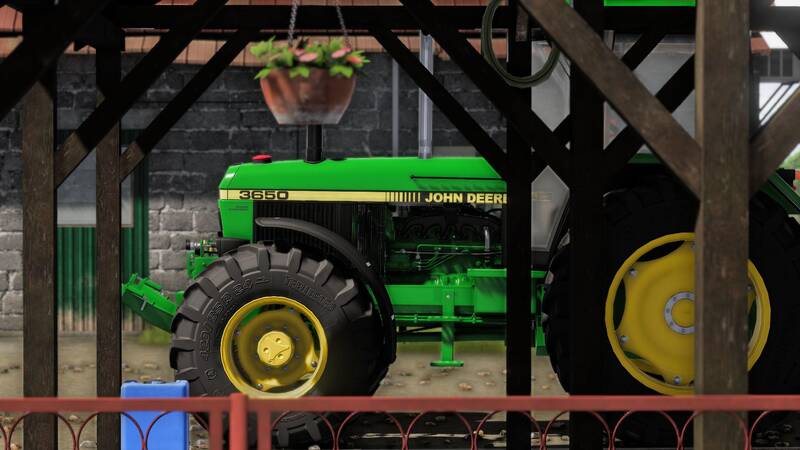
Enhance your Farming Simulator 25 experience with ! This custom shader improves your game's visuals, delivering a more immersive and atmospheric look.
???? Installation Instructions:
- Install the Additional Game Settings mod.
- Install ReShade (select Giants Engine 9.0.0.0 and DirectX10/11/12, and install all effects).
- Replace the
FS25_additionalGameSettingsfolder inC:\User\Documents\My Games\FarmingSimulator2025\modSettings(make a backup first!). - Copy the
Shader 2 by CasiJR.inifile into thex64folder of your Farming Simulator 25 installation directory. - Launch the game, press Home, and select
Shader 2 by CasiJR.ini. - In the "Additional Settings" tab, set "Custom lighting" to "Sample".
Enjoy a refreshed visual experience! ????
Comments
You must be logged in to comment.
No comments yet.