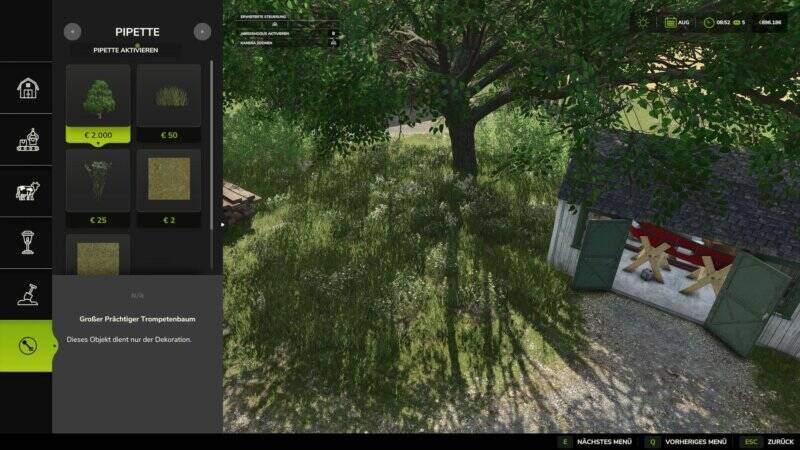
Terrain Texture and Object Picker
The Terrain Texture and Object Picker adds a handy pipette (eye-dropper) function to the build menu. It allows you to pick up already-placed ground textures, visible vegetation (grass, flowers, bushes), placeable trees, and supported objects directly from the map and easily find them again in the build menu.
How it works:
1. Open the "Pipette" tab in the build menu.
2. Activate the pipette with a button press.
3. Click on a ground texture, vegetation, bush, tree, or supported object.
4. Confirm the matching hit in the build menu.
5. Paint or place as usual.
For mixed areas, multiple matching hits can be displayed. The pipette can be reactivated at any time and resets the active brush before picking.
The mod automatically considers the available ground textures and matching vegetation of the respective map. Map vegetation is detected without loading unchecked entries into the regular build menu.
An additional "Search" tab scans all categories by keywords – regardless of order and sorted by relevance.
Credits:
Thanks to PeterPwn247 for "All Decorative Foliage" and to modelleicher (Farming Agency) for "All The Ground Textures Ingame".
Comments
You must be logged in to comment.
No comments yet.