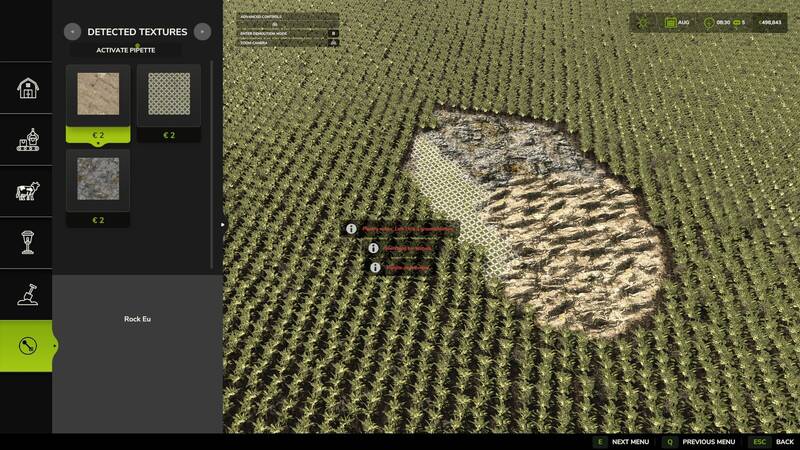
The Texture Pipette introduces a practical pipette function for ground textures within the construction menu. Easily pick and apply previously used paint textures directly from the map, streamlining your construction workflow. The mod intelligently searches for matching textures, prioritizing suitable results and offering multiple candidates when necessary.
How to use:
- Open the “Pipette” tab in the construction menu.
- Press the “Activate Pipette” button.
- Click an already painted ground texture.
- Confirm the found or desired texture in the construction menu.
- Paint as usual.
After painting, cancel the action with ESC to avoid unintended further paint strokes. If needed, activate the pipette again and confirm the desired texture once more.
The mod takes into account the available ground textures of the current map, ensuring you have access to suitable textures as completely as possible. Designed as an expandable tool, the Texture Pipette will include additional functions for quicker content discovery in future versions.
Comments
You must be logged in to comment.
No comments yet.