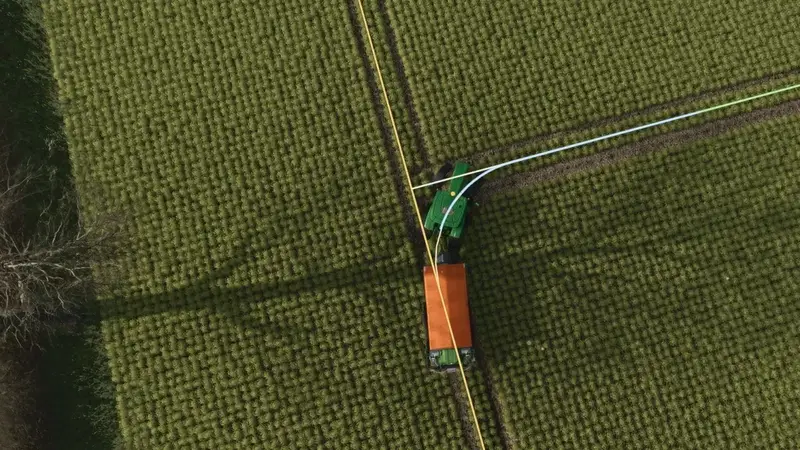
Tramline Pilot
The Tramline Pilot is a powerful script for controlled traffic farming in Farming Simulator. It generates marked tramlines on fields and saves each layout so it can be reused in later seasons.
An AI helper performs spraying and fertilising jobs strictly along the tramlines, reducing crop damage, avoiding unnecessary passes and making work on large fields easier. The system works without the Precision Farming DLC and can optionally be linked to AutoDrive.
- Tramline spacing matched to a working width of 6 to 60 metres
- Free orientation or alignment using A and B points
- Configurable headlands, turning radius, track width and working speed
- Support for self-propelled and mounted field sprayers
- Reverse turns in tight headland corners
- Saved layouts that can be reused on the same map
- Visual markers for the working route, start point, destination and last position
- Interrupted jobs can be resumed after saving
- Optional refilling via AutoDrive
Controls: Right Ctrl + M opens the settings menu, Alt + T starts or stops the job, Alt + Q stops the job, Alt + 4 toggles the tramline display, and Alt + 1 or Alt + 2 sets points A and B.
To get started, drive onto a field and press Right Ctrl + M. Set the tramline spacing to match your sprayer or spreader width, choose the field orientation and headland settings, then press Enter to generate the layout. Fill the sprayer, drive onto the yellow-marked headland tramline and press Alt + T when the green start flag appears.
For AutoDrive refilling, place a marker at the field gate, assign it as the first target and the refilling point as the second target, then enable the corresponding option in the menu. When the tank is empty, the helper folds the boom, returns along the tramlines to the field gate and continues the job after refilling.
Installation: Copy the mod into your game's mods folder and enable Tramline Pilot in the mod list when loading a savegame.
Comments
You must be logged in to comment.
No comments yet.