Universal Work Cameras
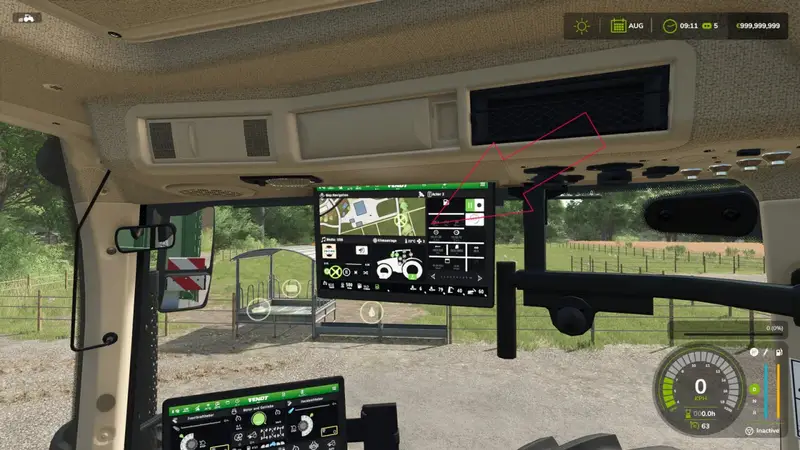
Universal Work Cameras lets you equip compatible vehicles and implements with flexible work cameras. The built-in camera editor provides five channels: Back Cam 1–3 and Front Cam 1–2.
- Freely adjust camera position, rotation and field of view
- Use the live preview while configuring your cameras
- Attach cameras to moving vehicle parts so they follow the component's movement
- Save camera installations with your game progress
- Have camera setups synchronized by the server in multiplayer
Installation: Walk up to a compatible vehicle or implement and open the camera editor with ALT+C. Add a camera, select the desired channel and mounting point, then adjust its position, rotation and field of view. Inside the vehicle, activate the camera group using the standard WorkCameras controls and switch between views. Interactive Control buttons and the upper Fendt-ONE monitor are also supported where available.
Compatibility: The system supports common WorkCam connections found on compatible Fendt models, especially Paul Fendt vehicles with their existing camera connections and IC functions. Other vehicles can use the cameras if they provide suitable connections or support through optional integrations. Available features depend on the vehicle model and its equipment.
Requirements: Dashboard Live, Interactive Control and the Mercedes-Benz Trucks Pack DLC.
For compatible base-game vehicles, MB DLC Work Cameras For All Vehicles and Dashboard Live Vanilla Vehicles are also recommended.
Comments
You must be logged in to comment.
No comments yet.