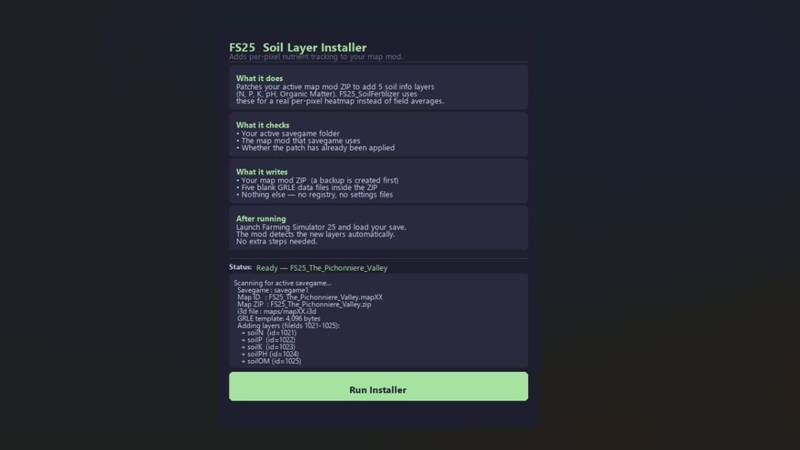
Density Layer Installer
The Density Layer Installer for Farming Simulator is a user-friendly tool designed to enhance your gameplay by adding custom soil density map layers. This installer automatically patches your active map mod ZIP, allowing FS25_SoilFertilizer to track nutrients at a true per-pixel resolution, unlike the default average value per field.
Quick Start Guide:
- Download FS25_SoilLayerInstaller.exe
- Close Farming Simulator 25 completely.
- Double-click the .exe and click “Run Installer”.
- Launch FS25 and load your save. Done.
Features:
- Automatically finds and patches your savegame and map.
- Creates a backup before applying changes.
- Supports any FS25 map mod that meets specific criteria.
- Safe to rerun; it detects already patched maps.
Requirements: Ensure FS25 is closed when running the installer. The map mod ZIP must be installed in your Mods folder.
Backup & Restore: A backup is created automatically. To undo the patch, rename the .backup_soilinstaller file back to the original .zip.
Version 1.3.4.0: Improved support for non-standard map folder structures and dynamic adaptation for GRLE template search and zip write paths.
Comments
You must be logged in to comment.
No comments yet.