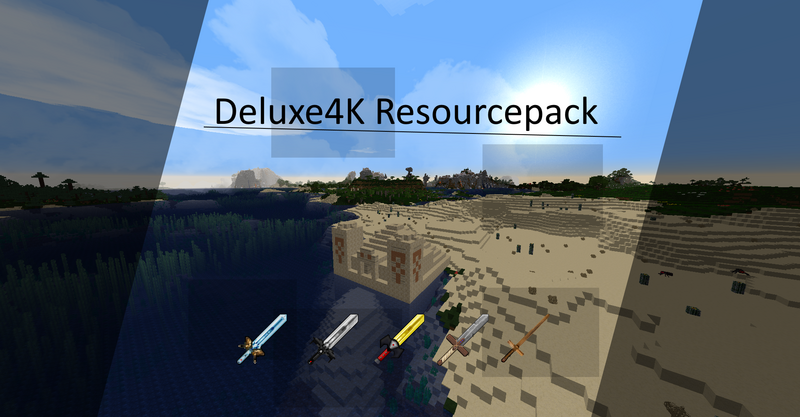
Deluxe4K Resourcepack
Is the shield, a totem or a firework annoying to always carry in the second hand, because a piece of the screen gets filled. Well this resource pack takes care of that by attaching these items to the arm and making them invisible in firstperson.
Furthermore it should be usable for every version. Are you playing Minecraft 1.8 and then you switch to 1.12 or 1.18? You can simply switch Minecraft without also switching the pack, because all versions are supported in the one pack. Active versions supported are 1.8 to 1.21.10. If you are using a newer or older version, this will also work. In 1.7 3D textures like 3D ladders or 3D sugar cane were not supported yet. These are then simply displayed in 2D. And if new versions are played, then the newer items and blocks are still missing, whereas I plan to support further versions like the 1.19 as well.
For minecraft 1.8.9 or lower optifine is required, otherwise some textures look shifted or warped.
For newer versions optifine is not needed. But it is still recommended, because connected blocks and stackable items are not available otherwise. But there are alternative mods, which add these features again.
The resource pack itself should give you a nice realistic feel to Minecraft. Items like arrows stack, which often changes the texture of some items per number of items. Blocks like Glass look connected, which makes it more realistic again.
And the 64x64 and 128x128 pixels per block look (there are few other variants), removes the pixelstyle without consuming much performance.
Another advantage is the support for mods.
The supported mods are:
Advancedsolarpanel, Appliedenergistics2, Baubles, Bettergrassandleaves, Chisel, Computercraft, Forestry, Ironchest, Natura, Not Enough Items, Not Enough Items integration, Just Enough Items, Appleskin, Notenoughupdates, Thermalfoundation, Tinker and as briefly stated above Pixelmon.
---------------------------------------------------------------------------------------------
For those who don't know how to insert a resourcepack:
Windowssearch -> %appdata% -> .minecraft -> Resourcepack
There you have to put the resourcepack. (in form of a folder. No Zip!)
Alternatively you can unzip the "Please_Unzip.zip" in the resourcepack folder.
The folder can also be accessed via Minecraft. In the Resourcepack menu. Bottom left.
---------------------------------------------------------------------------------------------
Comments11
You must be logged in to comment.
This Resource Pack seems like a game-changer for Minecraft players, especially those who find carrying shields, totems, or fireworks in their second hand to be annoying due to screen clutter. The idea of invisibly attaching these items to the arm in first person is brilliant and undoubtedly enhances the gaming experience. The fact that it's compatible across various versions of Minecraft is fantastic news, ensuring seamless transitions for players moving between different versions without needing to switch packs. And the support for mods is a definite plus, allowing for a customized and enhanced gameplay experience. For those interested in delving deeper into this Resource Pack and exploring its features further, be sure to visit the site for more information. It's always great to see innovations like this that enhance both the aesthetic and functionality of the game. Happy crafting, everyone!
Eine Frage hätte ich da noch, von welchen Recource Pack hast du das Menü? Und das Inventar usw.?
Weiss ich nicht. War mal in einem Edit drin. Habe dann aber sehr viel verändert bzw. sogar verbessert. (das Edit war für die 1.6) Ich habe es so verändert das ich sagen kann ich habe es selbst gemacht.
Es ist ok, finde aber das die Dorf-Bewohner sich nicht gut anhören und das Kies ziemlich verpixelt aussieht (nicht schön), das Bett finde ich auch nicht so schön mit dem creeper drauf gerne ein schlichtes rotes bett an den Wolken und den Himmel könntest du vllt auch noch was ändern, und das Lade Fenster dieses Türkise Blau finde ich sieht schrecklich aus passt garnicht zu den Roten Menü:) Ansonsten schöne Texturen, sehen sehr gut aus mit Shader empfehlenswert!:) Hier nochmal ein Screenshot: http://i.epvpimg.com/jJnbc.jpg
Bei der 2.5.0 habe es so halb gemacht. Das bett habe ich überarbeitet. Bei den Wolken musst du sie auf Schnell stellen. (schön ist immer verbugt) wenn ich gravel zeichne sieht es noch schlimmer aus. Ich werde es vielleicht mal machen aber immoment nicht. Und der Hintergrund finde ich passt richtig zum roten. (Ist Geschmacksache.) Und der Sound von den Villiger habe ich entfernt. (die Sounds waren von GLP Resoucepack.)
ok ich schau was ich machen kann. (das mit dem Bett finde ich recht schön. Ich könnte es leicht verändern aber der creeper finde ich recht schön.)
RICHTIG geil xD Zocke es seit 3 monaten ^^
es ist sehr schön ich zock damit schon 1 Monat einfach nur nice
Danke ich gebe mir viel mühe. Da freut es mich wenn jemand es gefällt.
Wie gefällt euch mein Resourcenpack Schreibt es in die Kommentare:-)